Golf client management that knows every bag.
Whether you're fitting 200 members or coaching a book of 30 students, the hard part isn't the lesson — it's remembering who plays what, who's due for new wedges, and who you promised to follow up with. FitMyGolfClubs keeps every player's equipment, grade, and history in one list.
Create Your Pro Account →Free for up to 5 clients · no credit card required

Every client's handicap, club count, and bag grade at a glance.
One card per client — the whole story on it.
Open the Clients tab and you can spot who needs attention without opening a single profile.
- ✓ Name and handicap (HCP) on every card
- ✓ Club count — or "No bag yet" if they haven't built one
- ✓ Latest bag grade as a color-coded letter
- ✓ Orders count and a Pending badge for un-accepted invites
- ✓ Search by name · sort by Last Graded, Name, Needs Attention
- ✓ Filter by invite status — All / Pending / Activated
Everything is one tap from the card.
No digging through menus
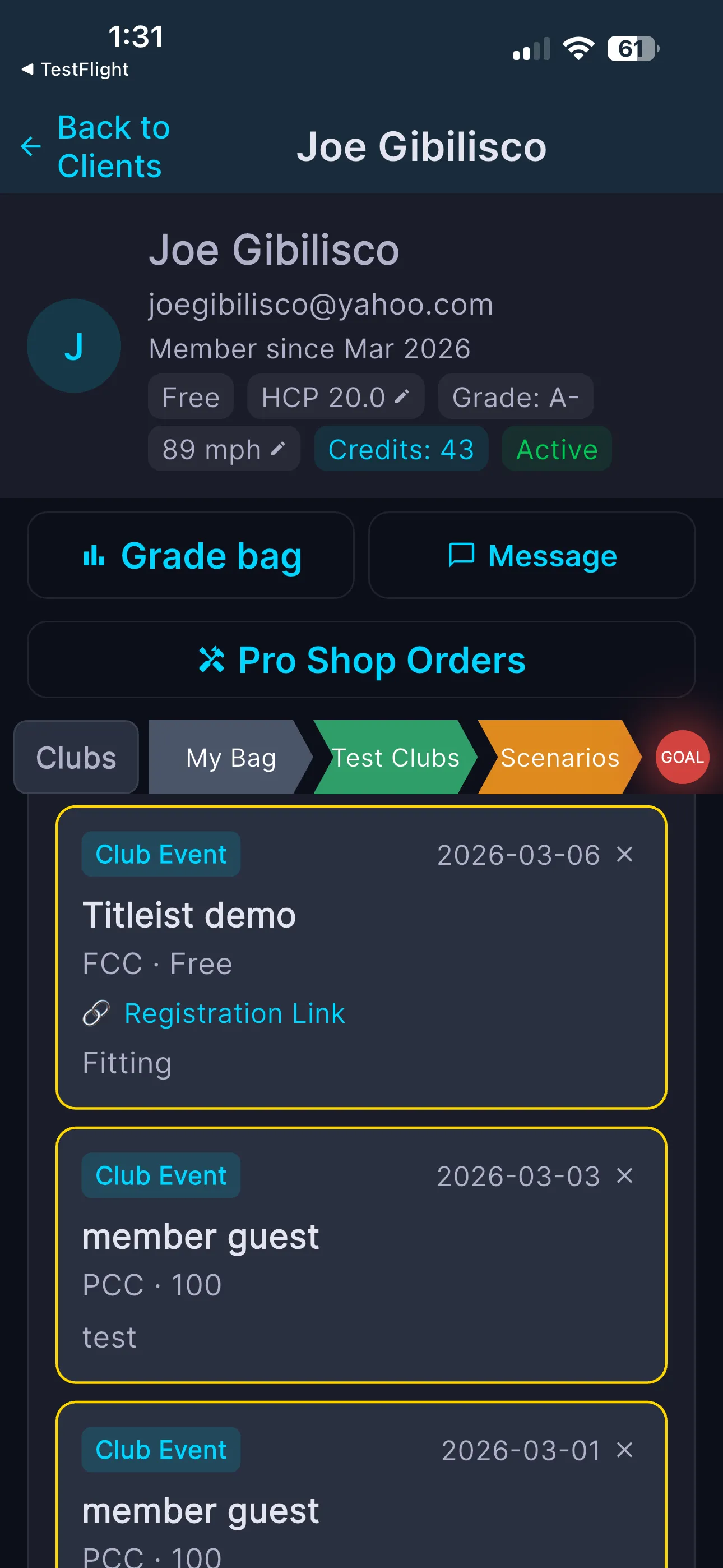
Each card carries a quick-action row, and tapping the card opens the full client detail — profile, Grade bag, Pro Shop Orders, and tabs for Clubs, My Bag, Test Clubs, Scenarios, and Goal.
- ✓ Orders — grip & equipment orders against their actual clubs
- ✓ Message — your thread with them (red dot flags unread)
- ✓ Reports — PDF bag-report history to download or re-send
- ✓ Profile — Basic / Swing / Preferences tabs
- ✓ Proposals — jump into their consultation
- ✓ Lesson — log or schedule, pre-filled with this client
- ✓ Delete — double-confirmed; it can't be undone
They get the app. You get their bag.
Tap Invite — the button shows how many invites are still pending.
- ✓ Your client gets their own app access
- ✓ Once they accept, their bag connects to your roster — anything they grade or change, you see
- ✓ Already a FitMyGolfClubs user? Send a connect request instead
- ✓ You can also import an existing bag for them
- ✓ Connected clients get 20% off their annual subscription
Every client's bag, grade, and history — one roster.
Stop keeping your book of clients in your head.
Create Your Pro Account →Common questions
You send an invite; they get their own app access and their bag connects to yours. Existing FitMyGolfClubs users get a connect request instead, and you can import a bag on their behalf.
Yes. Every card shows handicap, club count, and latest bag grade — and opening the client shows the full grade breakdown, bag tabs, and history.
No. Consultation "Pro Observations" notes are private to you. Only the proposals you explicitly send reach the client.
It permanently removes their profile, bag, and analysis history — after a double confirmation. It can't be undone.