Grade first. Then fit.
The best lessons and fittings start with a baseline. Before you change a grip, swap a shaft, or tell a student what to work on, run a bag grade — a letter grade across 8 fit factors that shows exactly where a client's set is dialed in and where it's fighting them.
Create Your Pro Account →Free for up to 5 clients · no credit card required
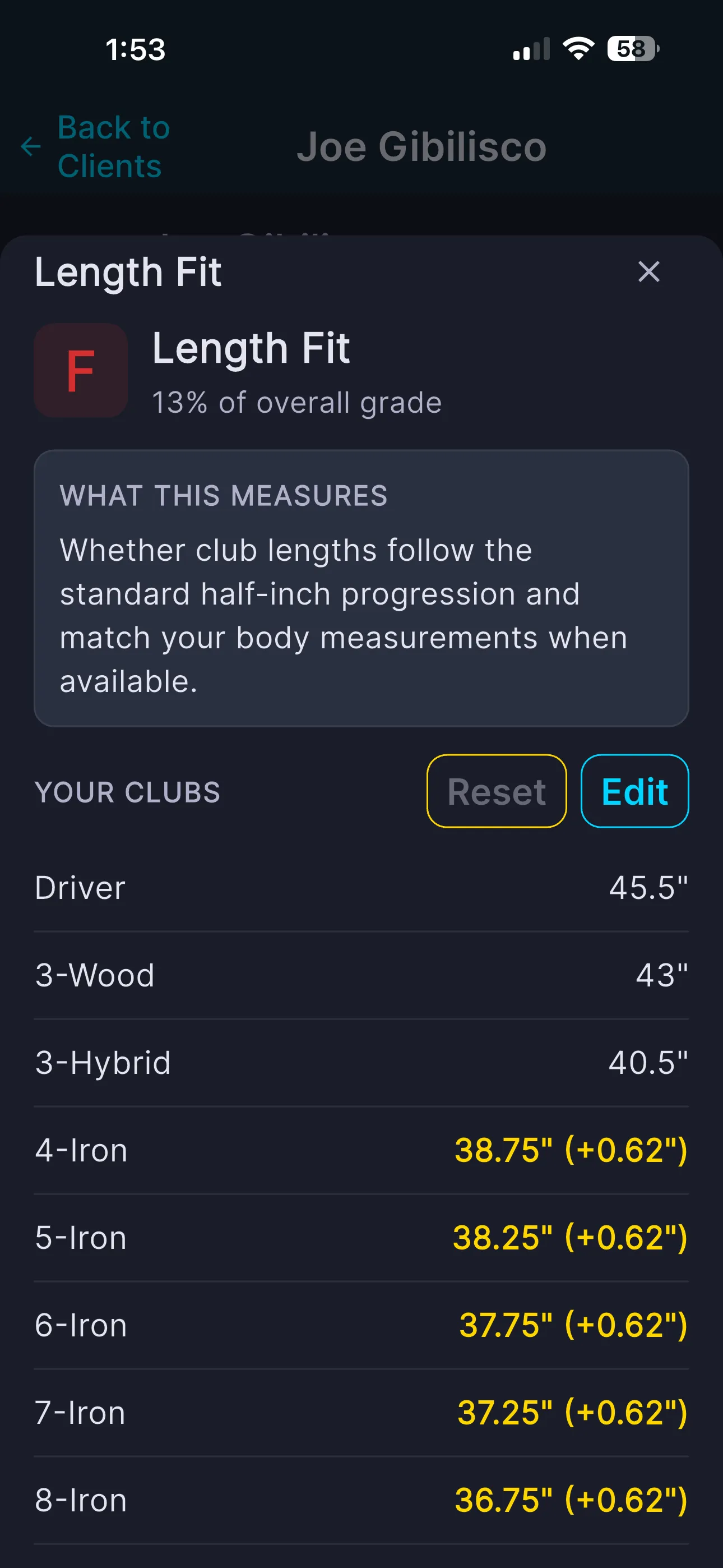
An F on Length Fit — found in seconds, not after three lessons.
Grade the bag before the session.
A grade taken at the start tells you where to spend your time — and gives you a clean before/after to close with.
- ✓ 8 fit factors: loft gapping, lie angle, length, shaft weight, flex, torque, kickpoint, set makeup
- ✓ A letter grade per factor plus one overall grade
- ✓ If gapping is a C and everything else is an A, the conversation is about the wedges — not the driver
Open a factor to see what's dragging the grade.
Every factor shows its work
Tap any factor and the modal lays out the grade, what the factor measures in plain English, and the exact clubs it looked at — so you can point at the culprit, not guess at it.
- ✓ Letter grade + how much the factor weights toward the overall
- ✓ Per-club values with flags — good, tight, or DUPLICATE gaps
- ✓ Swing-speed based recommendations on the weight and flex factors
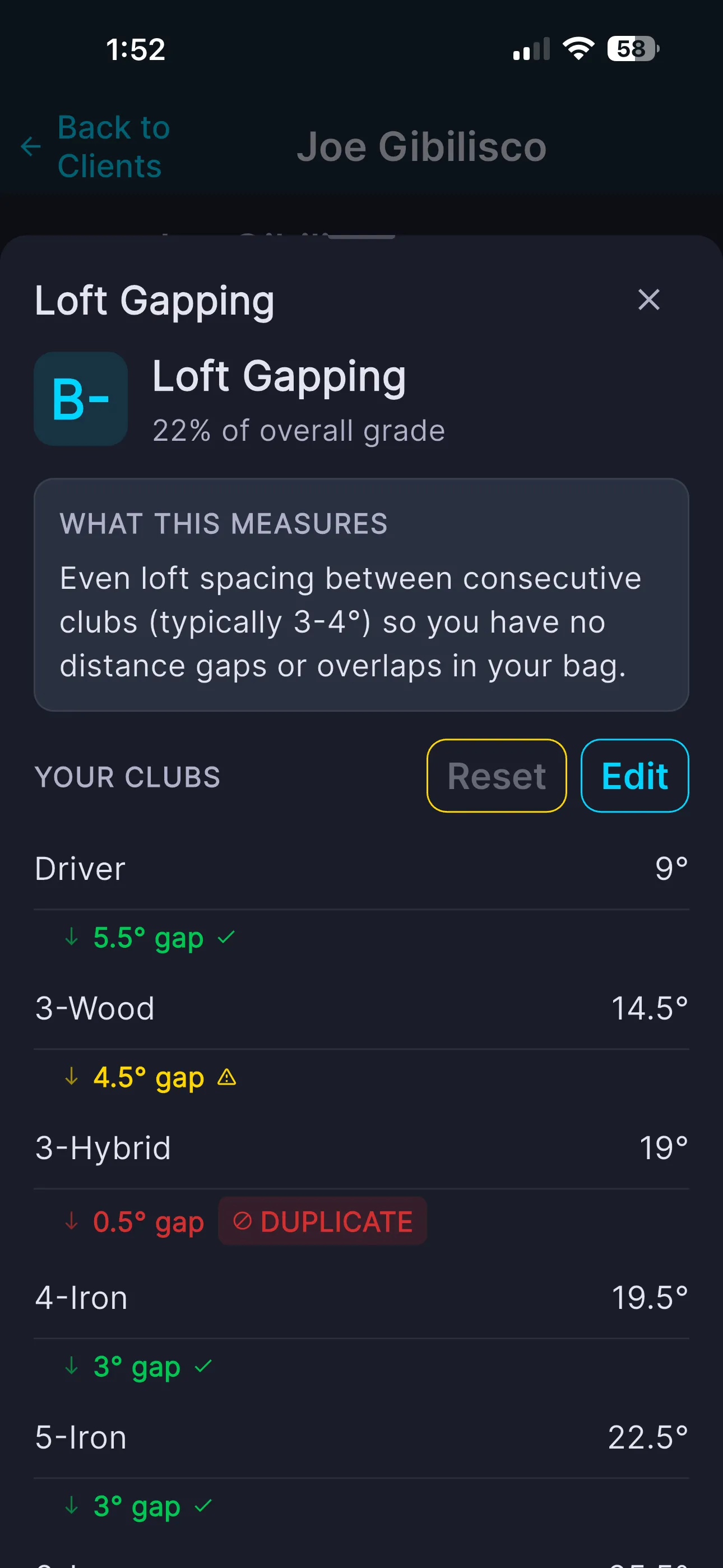
Adjust specs right inside the factor.
Tap Edit and the per-club rows become editable — bend a lie, correct a length, change a shaft weight, right there.
Save Only, or Save & Regrade
Each changed row is flagged and individually resettable. When you're done, save without re-grading — or re-grade on the spot and watch the factor's grade move against the change you just made.
- ✓ Save Only — record changes, no credit used
- ✓ Save & Regrade — instant new grade (1 credit)
- ✓ Loft gapping edits loft, lie edits lie angle, length edits length
- ✓ Shaft factors edit weight, flex, torque, and kickpoint
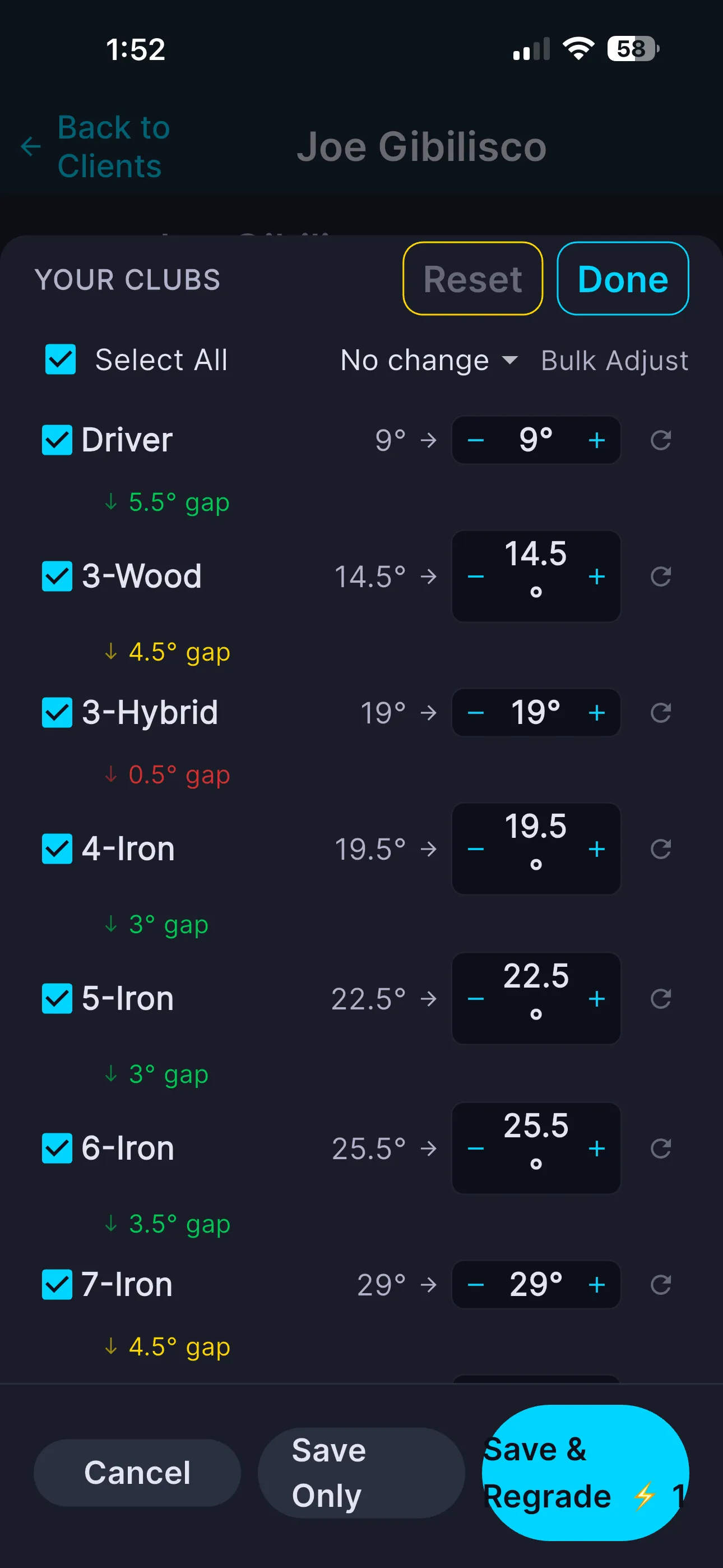
Bulk-adjust across the set
Correcting one thing on every club — "bent everything a degree upright," "set all irons to Stiff"? Select All and use the bulk control instead of touching each row.
- ✓ Select All / per-club checkboxes
- ✓ "Set all to…" bulk dropdowns on categorical factors like flex
- ✓ Bulk adjust steppers on numeric factors

Bent, cut down, or reshafted? Log the truth.
If the grade is scoring factory numbers, it's scoring a bag that doesn't exist. The Edit Club screen corrects the whole club at once.
- ✓ Head: Brand, Model, Year, Loft, Lie, Length
- ✓ Shaft: Brand, Model, Flex, Weight, Torque, Kickpoint
- ✓ Every edit is marked and keeps the factory value — "Original: X"
- ✓ Per-spec reset plus a "Reset All Edited Specs" button
- ✓ The bag flags as needing a re-grade after you save
Re-grade and show the before/after.
"You came in at a B-minus on gapping; after we set your wedges you're at an A" beats a stack of numbers. And when you're viewing a client's factor as a pro, a Sales Opportunity insight turns that weak factor into a client-ready recommendation you can drop straight into a fitting proposal.
Run your next fitting on a real baseline.
Grade a client's bag, dial in every factor, and prove the improvement.
Create Your Pro Account →Common questions
No. Inside a factor you can Save Only to record changes without grading, then grade once at the end — or use Save & Regrade to see the new grade immediately. When you edit specs on the full Edit Club screen, the app flags the bag as needing a re-grade.
On the Edit Club screen: brand, model, year, loft, lie, length, shaft brand, shaft model, flex, shaft weight, torque, and kickpoint. Inside a factor modal you edit just that factor's spec across the affected clubs.
No. Every edited spec keeps the factory value on record — you'll see "Original: X" — and each edit has a reset control, plus a "Reset All Edited Specs" button to return the whole club to its catalog spec.
Yes — that's the point of grading first. Grade at the start, make your adjustments, re-grade at the end, and the client sees the improvement in plain letter grades. Pros also get a Sales Opportunity insight per factor to feed a proposal.