Golf fitting proposals clients say yes to.
You already know what a client needs after you've seen their bag. The gap is turning that judgment into something they'll act on — a clear, professional recommendation with a price, not a verbal "you should probably reshaft that." The consultation workspace closes that gap.
Create Your Pro Account →Free for up to 5 clients · no credit card required
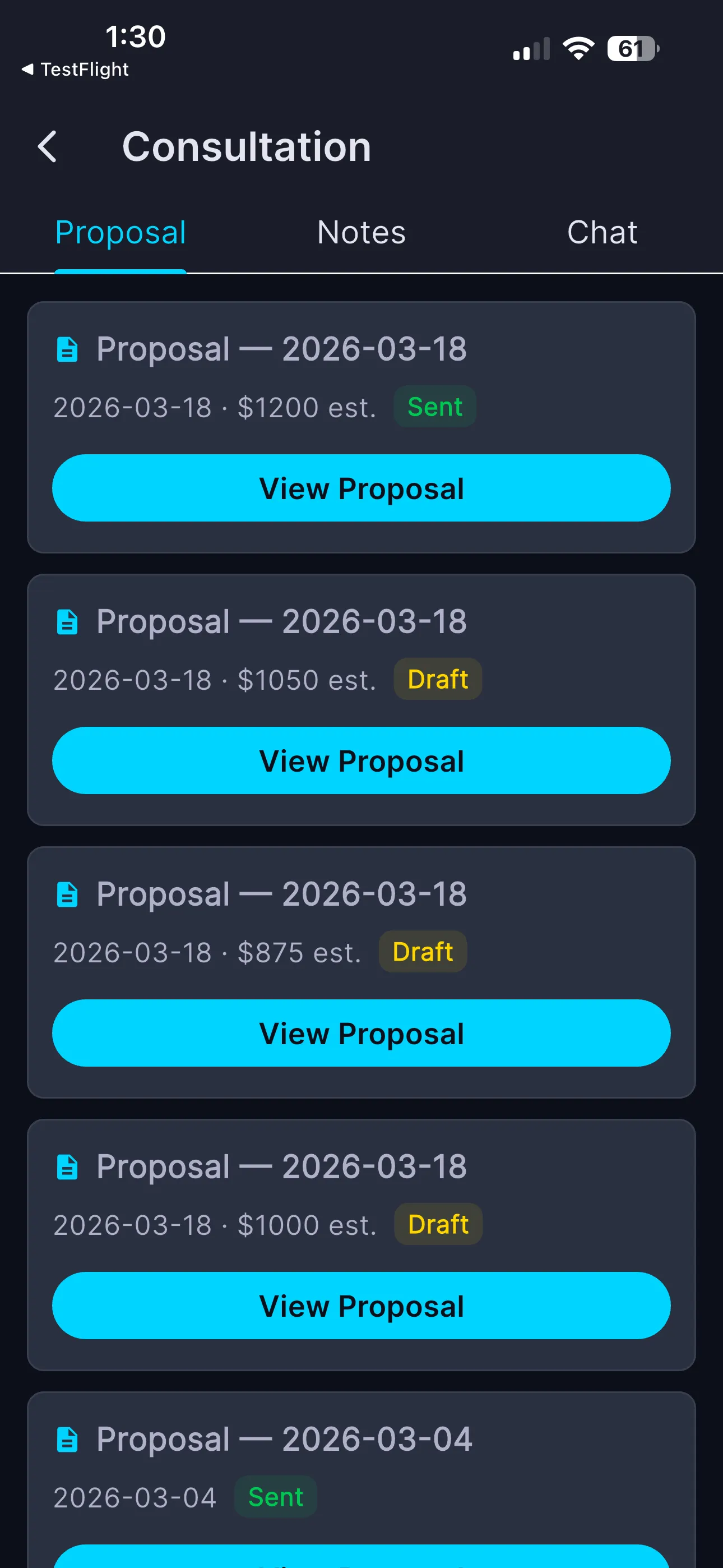
Every proposal — dated, priced, marked Draft or Sent.
One workspace per client, three tabs.
From any client's card, tap Proposals to open their Consultation.
- ✓ Proposal — generate, save as Draft, and send fitting proposals
- ✓ Notes — private "Pro Observations," timestamped, newest first — the client never sees them
- ✓ Chat — an AI fitting assistant scoped to this client's bag, grade, and history
Tap New Proposal — the analysis does the drafting.
Proposals are generated from the client's real, graded bag — so they're specific and credible. The button shows the credit cost up front.
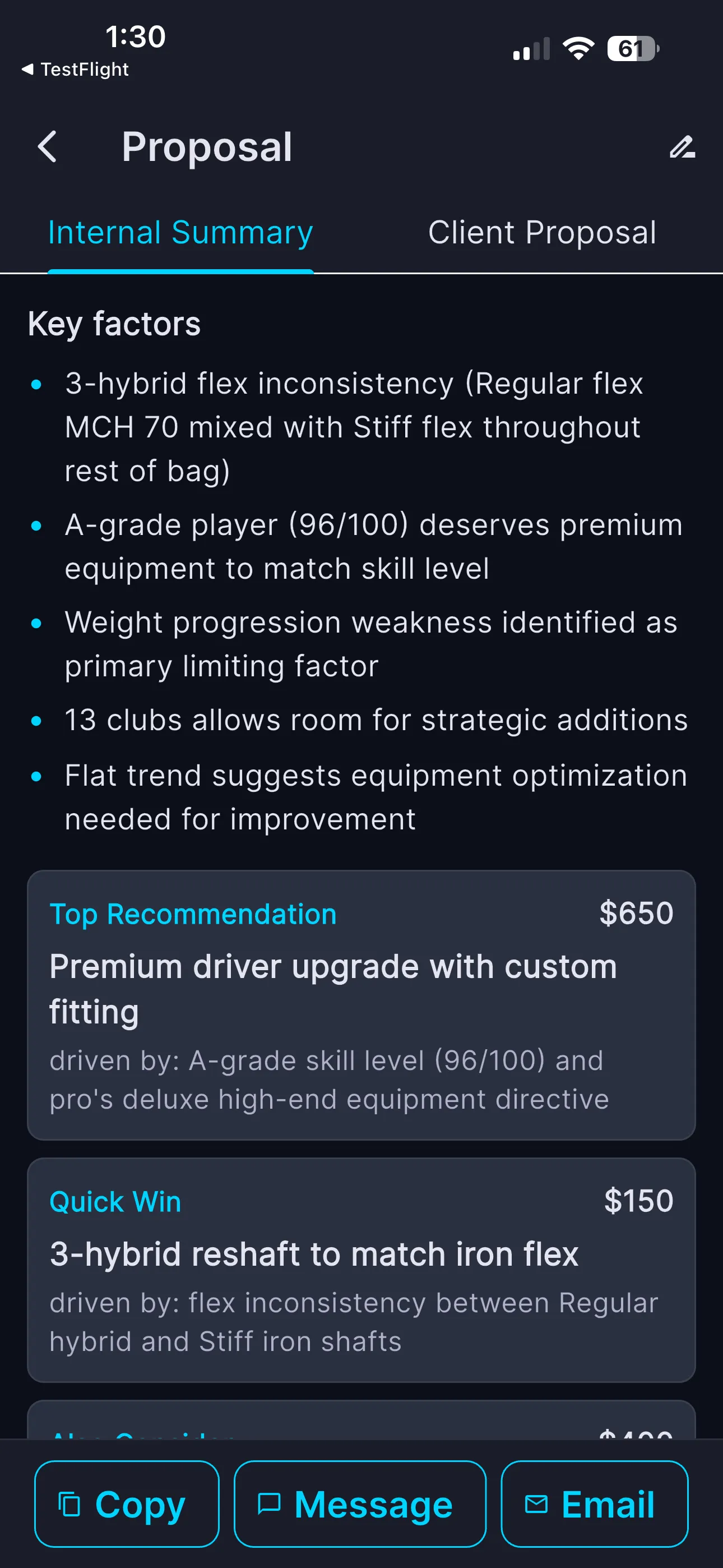
The Internal Summary — for you
A Key Factors rundown of what's driving the recommendation, then priced recommendation cards with a plain "driven by:" rationale tied to the client's grade.
- ✓ Top Recommendation — the big move, priced
- ✓ Quick Win — the cheap fix that pays off now
- ✓ Also Consider — the next thing on the list
- ✓ Every card traced back to a fitting factor
The Client Proposal — for them
The same recommendations rewritten as a friendly, ready-to-send message — with specific product suggestions. Deliver it in whatever channel the client actually reads.
- ✓ Copy it anywhere
- ✓ Send it in their Message thread
- ✓ Email it directly
- ✓ Status flips Draft → Sent so nothing slips
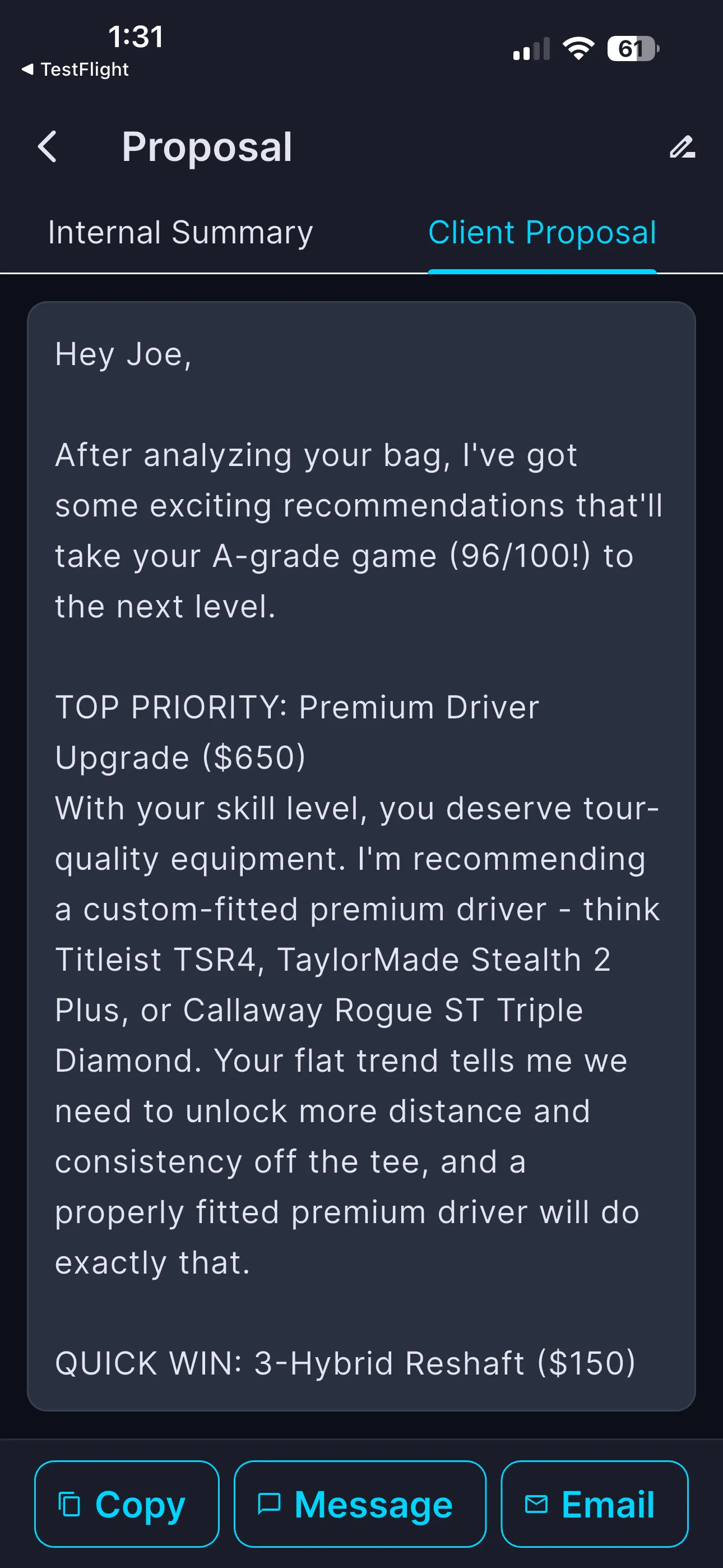
Seen, priced, and easy to say yes to.
A recommendation a client can read and act on converts far better than one they half-remember from the lesson tee. Because proposals come from the client's real graded bag, they're specific — and because everything's logged, no opportunity slips through the cracks between visits.
Turn fitting expertise into revenue.
Notes, client-scoped AI, and priced proposals — one workspace per client.
Create Your Pro Account →Common questions
Open a client's Consultation, go to the Proposal tab, and tap New Proposal. The app generates a line-itemed recommendation with an estimated value from the client's graded bag; you review, save as a draft, and send.
Yes. Proposals save as a Draft first; you send when ready and the status changes to Sent. Each is named, dated, and listed so you can revisit them.
No. Pro Observations are private to you. Only a proposal you explicitly send reaches the client.
An AI fitting assistant scoped to that specific client's bag, grade, and history — for sanity-checking a recommendation or prepping talking points before a consultation. It's not the general help bot.